
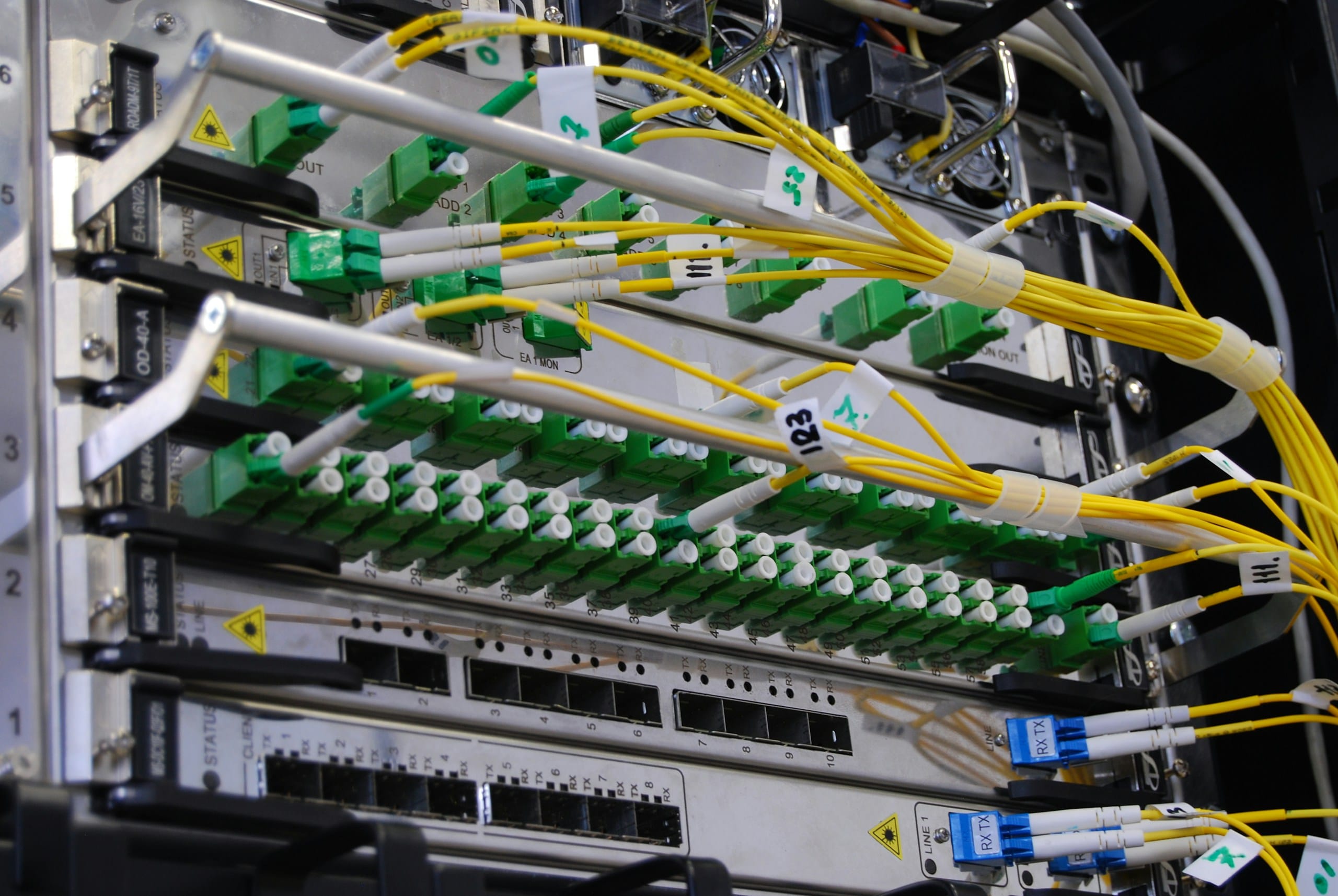
Reliable connectivity. Properly engineered.
From fibre-optic infrastructure and structured cabling to business Wi-Fi and network integration, we plan and install connectivity systems around your property, operations, and performance requirements.
We build the network. Your provider supplies the internet.
We are an electrical engineering company. We assess, install, configure, test and maintain connectivity infrastructure at your property. We are not an internet service provider or fibre network operator.
Your internet service provider
- The internet subscription and its price
- Coverage, bandwidth and service levels
- The external connection to your property and its terminal equipment
- Connection dates
Kell Electricals
- Assessing the property and what the network must do
- Cabling, fibre distribution, racks and outlets inside your building
- Routers, switches, Wi-Fi and firewall installation and configuration
- Testing, documentation and maintenance
Availability, bandwidth, subscription pricing, service levels and connection dates depend on the provider you select, and we cannot guarantee them before the provider confirms them.
Internet, fibre, cabling, Wi-Fi and network management
Choose a category. Items marked 'Subject to confirmation' are offered only once the required capability or authorisation is confirmed for the project.
Availability, bandwidth, subscription price, service levels and connection dates come from your internet service provider, not from us. We help you assess options, prepare the building and make the connection work properly inside it.
Fibre broadband installation
Needs assessment- What it does
- Prepares the property and installs the in-building equipment so a provider’s fibre service can be used.
- Where it may suit
- Properties where a provider offers fibre.
The provider supplies the connection to your premises and its terminal equipment. We work on cabling, router and Wi-Fi inside. Availability must be confirmed with the provider for your address.
ISP subscription assistance
Depends on the property- What it does
- Helps you understand what to ask for and compare offers.
- Where it may suit
- Owners unsure which kind of service suits the property.
We explain the options in plain language. The subscription is a contract between you and the provider.
Internet service provider coordination
Depends on the property- What it does
- Works with your chosen provider’s installers on site.
- Where it may suit
- New connections and relocations.
We help agree where the provider’s equipment goes and how the in-building network connects to it. We do not speak for the provider on price, coverage or timing.
Fixed wireless internet installation
Needs assessment- What it does
- Installs in-building equipment for a provider’s radio-based service.
- Where it may suit
- Places where fibre is not available but a wireless provider covers the address.
Performance depends on signal at the location, which the provider confirms. The provider normally supplies and installs outdoor radio equipment.
Satellite internet terminal installation
Needs assessment- What it does
- Installs and aligns a satellite dish and connects it to your network.
- Where it may suit
- Locations without fixed-line or good wireless coverage.
Subject to confirmation: the sale and installation of satellite terminal equipment is a regulated activity in Nigeria, so this is only offered where the required authorisation is in place and verified.
Dual-ISP connectivity
Optional upgrade- What it does
- Connects two internet services to one network.
- Where it may suit
- Offices and homes where an outage is costly.
Needs two separate subscriptions and a router or firewall that can manage both. We design and configure the in-building part.
Automatic internet failover
Optional upgrade- What it does
- Switches traffic to a backup connection when the main one fails.
- Where it may suit
- Businesses and homes working remotely that cannot afford to lose connection.
Failover time and behaviour depend on the equipment and the backup connection. The backup needs its own subscription and, like the main equipment, backup power.
Business internet connectivity
Needs assessment- What it does
- Plans the in-building network around the business’s needs once a business-grade service is chosen.
- Where it may suit
- Offices, shops, schools and clinics.
Service levels and contention belong to the provider’s contract. We make sure the building network does not become the weak point.
Internet coverage assessment
Needs assessment- What it does
- Reviews which providers and technologies are likely to serve an address.
- Where it may suit
- Before committing to a property or a provider.
We help gather what to ask. Actual availability is confirmed only by the provider.
Internet performance troubleshooting
Needs assessment- What it does
- Works out whether slowness comes from the provider, the router, the cabling or the Wi-Fi.
- Where it may suit
- Homes and offices with slow or unreliable connections.
We test inside the building first. If the problem is the provider’s service, we help you document it so you can raise it with them.
Security is a result of the whole design, not of one device. We do not run intrusive scans or change customer systems without explicit authorisation, and we ask you never to send passwords in an enquiry.
Your security systems are only as reliable as your network
Cameras, access control, intercoms, alarms and smart locks all depend on the network and on power. A weak or shared network can make them unreliable or exposed.
Keep security devices on their own network
Cameras and access control should not share an unrestricted network with guests or office traffic.
Cable what matters
Power over Ethernet and cabled links are more dependable than Wi-Fi for cameras and readers.
Protect remote access
Remote viewing needs secure set-up, never default passwords or open ports.
Plan backup power
A network that goes down in an outage takes cameras, intercoms and gate controllers with it.
See CCTV and security systems, gates and access control, burglar alarms and home automation.
Network equipment in plain language
- Modem or optical network terminal (ONT)
- The provider’s device that receives the service. For fibre, the terminal converts the optical signal to a network connection.
- Router
- Connects your network to the internet and manages traffic between devices. Many home routers include Wi-Fi.
- Wi-Fi access point
- Adds Wi-Fi to a network and usually connects to the router by cable. Larger sites use several.
- Mesh Wi-Fi
- Several units that work together as one wireless network. Units connected by cable generally perform better than units linked only by radio.
- Switch
- Adds wired ports so more devices, cameras and access points can connect.
Find the right connectivity solution
Answer a few questions for a preliminary view of what a network assessment would cover. It takes about four minutes and nothing is sent until you submit our enquiry form.
Your property
Connectivity solution packages
Indicative scopes, not fixed equipment lists. The scope for your job is set out in the quotation after an assessment.
- 01
Home Connectivity
For apartments and smaller homes
Possible scope
- Internet availability assessment
- Router installation and configuration
- Wi-Fi setup
- Basic coverage assessment
- Testing and handover
- 02
Whole-Home Network
For duplexes and larger homes
Possible scope
- Network layout assessment
- Structured cabling where required
- Access-point placement planning
- Router and switch configuration
- Optional mesh networking
- Guest-network configuration
- Testing and handover
- 03
Business Network
For offices and commercial premises
Possible scope
- Network infrastructure assessment
- Structured cabling
- Switches and access points
- Suitable network segmentation
- Firewall integration where required
- Documentation and testing
- 04
Fibre Infrastructure
For properties and developments requiring fibre cabling
Possible scope
- Route and pathway assessment
- Fibre cable installation
- Termination and distribution
- Testing and documentation
- Coordination with relevant network operators where needed
- 05
Enterprise and Multi-Building Connectivity
For estates, campuses, hotels and larger facilities
Possible scope
- Connectivity and topology assessment
- Fibre links between buildings
- Structured cabling
- Network racks and distribution
- Managed network equipment
- Redundancy and failover planning where required
- Documentation and testing
- 06
Network Troubleshooting and Maintenance
For existing installations
Possible scope
- Fault diagnosis
- Cabling and equipment inspection
- Wi-Fi performance assessment
- Configuration review
- Corrective work where approved
- Maintenance recommendations
Packages are indicative. Prices, subscription charges, warranties, service levels and delivery timelines are not stated here; request a quotation and we will scope it against your property.
From assessment to maintenance
Depending on the project, the scope can include a site assessment, a proposed layout, an equipment schedule, installation, testing, documentation and handover. Not every project includes all of these.
Assess
Where it applies, we survey the site, existing cabling and equipment, and what the network must carry.
Design
A proposed layout and equipment schedule for approval, depending on the project.
Install
Cabling, equipment and configuration installed to the agreed design.
Test and hand over
Testing, documentation and handover as agreed in the scope.
Support and maintain
Periodic checks and help when something changes or fails.
23 electrical service lines from one engineering team
15+ years of combined engineering experience
4.8★ Google rating from 192+ reviews
1000+ projects completed
Related services
- Electrical wiring and installation →Power, earthing and surge protection for network equipment.
- CCTV and security systems →Cameras that rely on a reliable cabled network and PoE.
- Home automation →Smart-home control that depends on a well-planned network.
- Solar and inverter systems →Backup power for routers, switches and access points.
- Home alarm and safety systems →Alarms that can report over the internet or mobile network.
- Commercial properties →How we work in offices and commercial buildings.
- Industrial electrical systems →Larger sites and plant, where networks and power meet.
- Preventive maintenance →Planned inspection and servicing for installed systems.
Common questions
Can you help install fibre internet at my property?
We can plan, install and test the cabling and equipment inside your property so a provider’s fibre service can be used. The fibre connection to your boundary and its terminal equipment come from the provider you choose. We are not an internet service provider.
Is fibre broadband available at every address in Abuja?
No. Fibre is available only where a provider has network reach, and that changes over time. Only the provider can confirm availability for a specific address, so check with them before planning around it. We can help you decide what to ask.
What is the difference between fibre internet and Wi-Fi?
Fibre is a type of physical connection that carries your internet service to the building. Wi-Fi is how devices inside connect wirelessly to a router or access point. You can have fibre feeding a Wi-Fi network, and Wi-Fi can also be fed by other types of connection.
What is the difference between a router and a Wi-Fi access point?
A router connects your network to the internet and manages traffic. An access point adds Wi-Fi to a network and usually connects back to a router by cable. Many home routers include an access point; larger sites often use several access points around one router.
Is mesh Wi-Fi better than a single router?
Not always. Mesh can help in homes where adding cable is hard, but mesh units connected by cable generally perform better than units linked only by radio. The right choice depends on the building, and we recommend after an assessment.
What is the difference between Cat6 and Cat6A cabling?
Both are copper network cables. Cat6A is built to carry higher speeds over the full cable length and is thicker and stiffer, so it is usually more expensive to install. Cat6 suits many homes and offices; Cat6A is chosen where there is a clear need for it.
Can fibre connect separate buildings?
Yes. Fibre links are commonly used between buildings on the same site. The route needs protecting from damage and moisture, and a route that crosses public or third-party land needs the owners’ permission and any required authorisation.
Can I have two internet providers for backup?
Yes. It needs two separate subscriptions and a router or firewall that can manage both. We design and configure the in-building side. Your providers supply the connections and their availability.
What is automatic internet failover?
It is a set-up that switches your traffic to a backup connection when the main one fails. How quickly and smoothly it switches depends on the equipment, and the backup connection needs its own subscription and power.
Can CCTV cameras run on a network?
Yes, IP cameras are network devices and are usually powered over the same cable. They are best on a reliable cabled network kept separate from guest and office traffic, with enough capacity for recording.
Can I separate guest Wi-Fi from my main network?
Yes, with suitable equipment. A guest network keeps visitors off the devices and files on your main network. How well it isolates depends on the equipment and its settings.
How do you diagnose slow Wi-Fi?
We test inside the building first: the router, the cabling, the Wi-Fi signal and interference, and the number of devices. That shows whether the problem is the provider’s service, the equipment, the cabling or the layout. If it is the provider, we help you document it.
Can an existing network be upgraded without replacing every cable?
Often, yes. We check what is installed and test it. Sometimes only some runs need replacing or the equipment needs upgrading. Older or damaged cabling may limit what is possible.
Does a new building require network cabling during construction?
It is much easier and usually cheaper to plan conduits, risers and outlet positions during construction than to retrofit them later. We recommend including network pathways in the building plan.
Can network equipment run on an inverter or solar backup?
Routers, switches and access points use little power compared with most appliances, so they are good candidates for backup power. The total load and runtime must still be checked against your inverter and batteries, and the provider’s own equipment also needs power.
What information is required for a network quotation?
The property type and location, number of floors and buildings, number of users and devices, what the network must support, what equipment and cabling exist, any current problems, and whether you need backup connectivity. The questionnaire on this page collects these. Do not send passwords or other credentials.
Do you provide the internet subscription itself?
No. The subscription, bandwidth, service level and connection date come from the internet service provider you choose. We provide the technical assessment, installation, configuration, testing and maintenance of the network at your property.
Ready for a network assessment?
Tell us about your property and what the network must do. We will look at it properly and come back with a scoped assessment.